
YouTube
How to Make YouTube Shorts from a Long Video (Step-by-Step Guide)
Learn how to make YouTube Shorts from a long video using a proven workflow: find the best moments, crop for vertical, add subtitles, and publish for maximum reach.
 Equipe ViralCut PRO28 juil 20265 min de lecture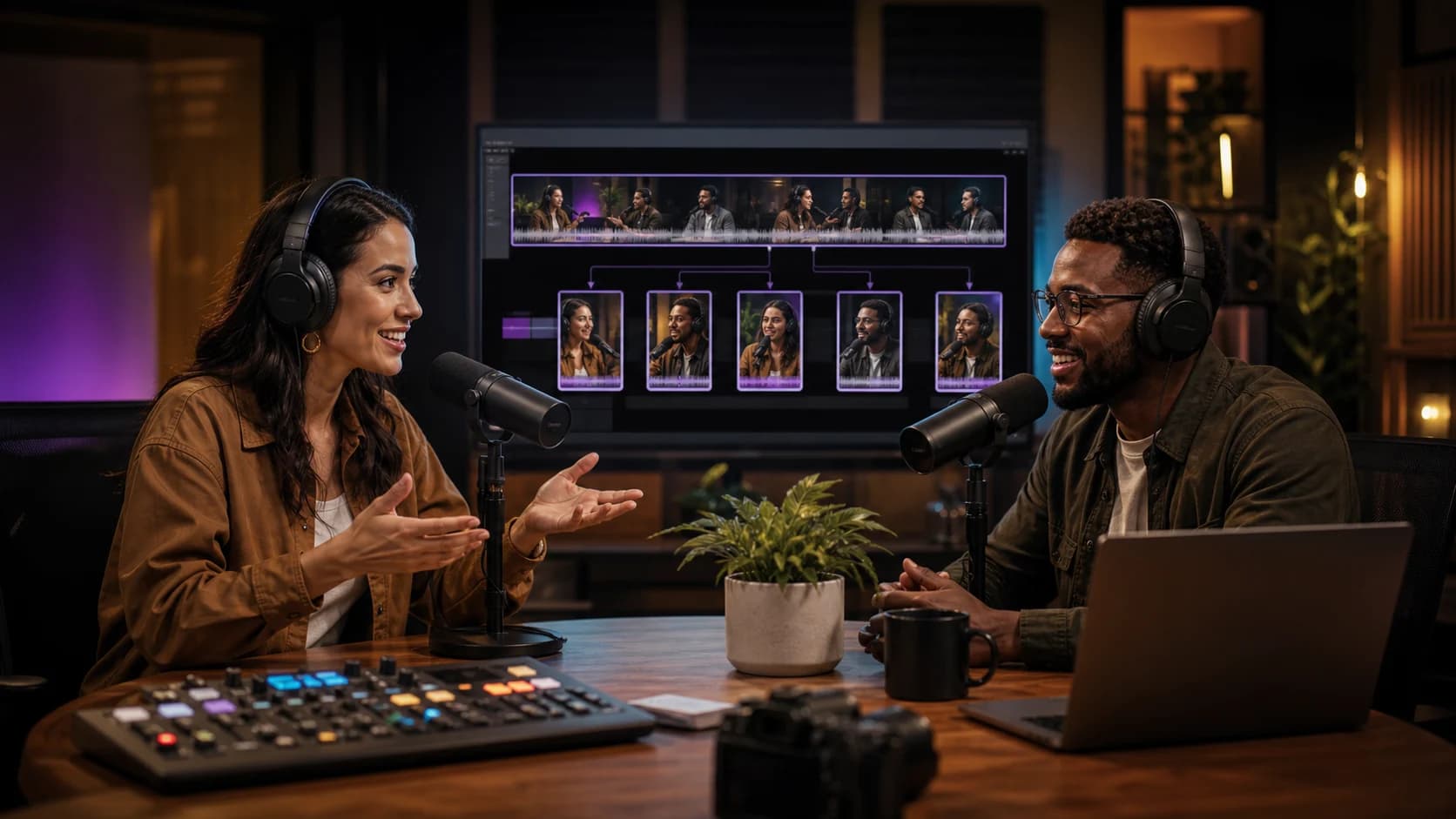
Introduction
If you already publish podcasts, webinars, or long-form YouTube videos, you're sitting on a goldmine of untapped content. Learning how to make YouTube Shorts from a long video is one of the fastest ways to grow your channel without filming anything new. This guide walks you through the exact process — from finding the right clips to editing, subtitling, and publishing — so you can turn one long video into 10-20 Shorts that drive new subscribers and watch time.
Why You Should Make YouTube Shorts from a Long Video
YouTube's algorithm actively promotes Shorts to new audiences who may never see your long-form content otherwise. Repurposing existing footage means you don't need extra filming time, and you can test which topics resonate before investing in new videos. It's also a low-cost way to keep your channel active between big uploads.
- Extends the lifespan of content you already recorded
- Attracts new viewers who prefer short-form video
- Builds a content library faster than filming from scratch
- Drives traffic back to the full-length video via end screens and links
- Helps you test hooks and topics with minimal risk
Step-by-Step: How to Make YouTube Shorts from a Long Video
Step 1: Rewatch the Long Video and Flag Strong Moments
Go through your recording and mark timestamps where something stands out: a bold claim, a surprising story, a quick tip, a funny reaction, or a clear before/after. Good Shorts usually have a hook within the first 1-3 seconds, so look for moments that start with tension, curiosity, or a strong statement rather than a slow lead-in.
Step 2: Cut Clips Between 15 and 60 Seconds
YouTube Shorts can be up to 60 seconds (or longer depending on updates), but the sweet spot for retention is usually 20-45 seconds. Trim any filler, false starts, or dead air. Each clip should feel like a complete mini-story with a beginning, middle, and payoff.
Step 3: Reframe the Footage to 9:16 Vertical
Long-form videos are typically shot in 16:9 landscape, but Shorts require a 9:16 vertical frame. You'll need to crop or reframe the footage so the speaker's face stays centered, especially if there are multiple people on screen. Smart auto-reframe tools that detect faces can save hours compared to manually keyframing each cut.
Step 4: Add Burned-In Subtitles
Most viewers watch Shorts with the sound off, especially in public or at work. Auto-generated, styled captions dramatically increase watch time because viewers can follow along instantly. This is also where tools like ViralCut PRO help — it automatically detects the best moments in a long video, reframes them vertically, and burns in accurate subtitles in one pass, cutting editing time from hours to minutes.
Step 5: Add a Hook Text Overlay and Trim the First Second
A short on-screen text hook ('Nobody tells you this about...') at the top of the frame increases click-through and retention. Also trim any awkward pause in the very first frame — the first half-second determines whether someone keeps scrolling or watches.
Step 6: Export in the Right Format and Upload
Export at 1080x1920 resolution, MP4 format, with the file size kept reasonable for fast upload. Add the word 'Shorts' or a vertical hashtag in the title/description if relevant, write a short compelling title, and include 2-3 relevant tags. Add a link or verbal callout directing viewers to the full long-form video.
Tools and Methods to Turn a Long Video into Shorts
There are three common approaches to making YouTube Shorts from a long video, each with trade-offs in speed, cost, and quality.
- Manual editing (Premiere Pro, DaVinci Resolve, CapCut): full creative control but time-consuming, especially for reframing and captioning multiple clips
- YouTube's native Shorts clipping tool: free and built into the platform, but limited in auto-reframing, caption styling, and multi-clip batch export
- AI clipping tools like ViralCut PRO: automatically identify the strongest moments, reframe to vertical, and add styled subtitles across an entire long video in one workflow, ideal when you need to produce many Shorts consistently
Quick Comparison: Manual Editing vs. AI-Assisted Clipping
If you only need one or two Shorts occasionally, manual editing in a free tool is fine. But if you publish weekly podcasts or long interviews and want a steady stream of Shorts, AI-assisted tools save significant time by automating moment detection, reframing, and subtitle generation — the three steps that usually take longest by hand.
Practical Tips for Better Results
- Batch-produce 5-10 Shorts from a single long video instead of publishing just one
- Test different hooks on the same underlying clip to see what performs best
- Keep captions large, high-contrast, and centered for mobile readability
- Post consistently — Shorts often need multiple uploads before the algorithm finds an audience
- Always include a reason to watch the full video, like a teaser or unanswered question
A Simple Checklist Before You Publish
Repurposing long videos into Shorts isn't a one-time trick — it's an ongoing system. Once you set up a repeatable workflow for finding moments, reframing, and subtitling, you can turn every long upload into a week's worth of short-form content.
- Clip is 15-60 seconds with a strong hook in the first 3 seconds
- Footage is reframed to 9:16 vertical with the speaker centered
- Subtitles are burned in, accurate, and easy to read
- Title is short, curiosity-driven, and free of clickbait that doesn't deliver
- Description includes a link or mention of the full-length video
Conclusion
Knowing how to make YouTube Shorts from a long video turns your existing content library into a consistent growth engine. Start by identifying strong moments, trim them tight, reframe to vertical, add clear subtitles, and publish consistently while linking back to the original video. If you want to speed up this process, ViralCut PRO can automatically find the best clips, reframe them, and add subtitles so you can focus on strategy instead of manual editing.
Questions fréquentes
How long should a YouTube Short be when repurposed from a long video?
Most high-performing Shorts fall between 20 and 45 seconds, even though YouTube allows up to 60 seconds or more. Shorter clips with a strong hook tend to retain viewers better than longer ones.
Can I make YouTube Shorts from a long video for free?
Yes. You can use YouTube's built-in Shorts clipping tool or free editors like CapCut to manually cut, reframe, and caption clips at no cost, though it takes more time than AI-assisted tools.
Do YouTube Shorts need subtitles?
Subtitles aren't required, but they significantly improve watch time since most viewers watch with sound off. Burned-in captions are recommended for almost every Short.
How many Shorts can I make from one long video?
A single 30-60 minute long video can often yield 5-15 Shorts, depending on how many strong standalone moments it contains, such as key tips, stories, or reactions.
Will making Shorts from my long video hurt its original views?
No, Shorts typically act as a discovery funnel. Viewers who enjoy a Short often click through to watch the full long-form video, increasing overall watch time rather than cannibalizing it.
Essayez sur votre contenu
Importez une vidéo. ViralCut PRO trouve les meilleurs clips.
Analyse, hooks, sous-titres, recadrage et exports prêts à publier en quelques minutes.
Créer mes clips gratuitementÀ lire ensuite
 YouTube Shorts
YouTube Shorts : formats, durée et bonnes pratiques
Tout ce qu'il faut savoir pour performer sur YouTube Shorts en 2026, du format a la retention.
 TikTok & Reels
12 accroches qui retiennent l'attention dès les trois premières secondes
Exemples concrets et formules qui captivent des l'instant zero sans tomber dans le sensationnalisme.
Guide completComment transformer une vidéo longue en 10 clips courts performants
Methode complete pour identifier les meilleurs moments, creer des accroches puissantes et optimiser chaque clip pour TikTok, Reels et YouTube Shorts.
Newsletter ViralCut