
Repurposing vidéo
Best AI Clip Generator: How to Choose the Right Tool in 2025
Looking for the best AI clip generator to turn long videos into viral shorts? Here's a practical, no-fluff guide to features, workflow, and how to choose.
 Equipe ViralCut PRO29 juil 20265 min de lecture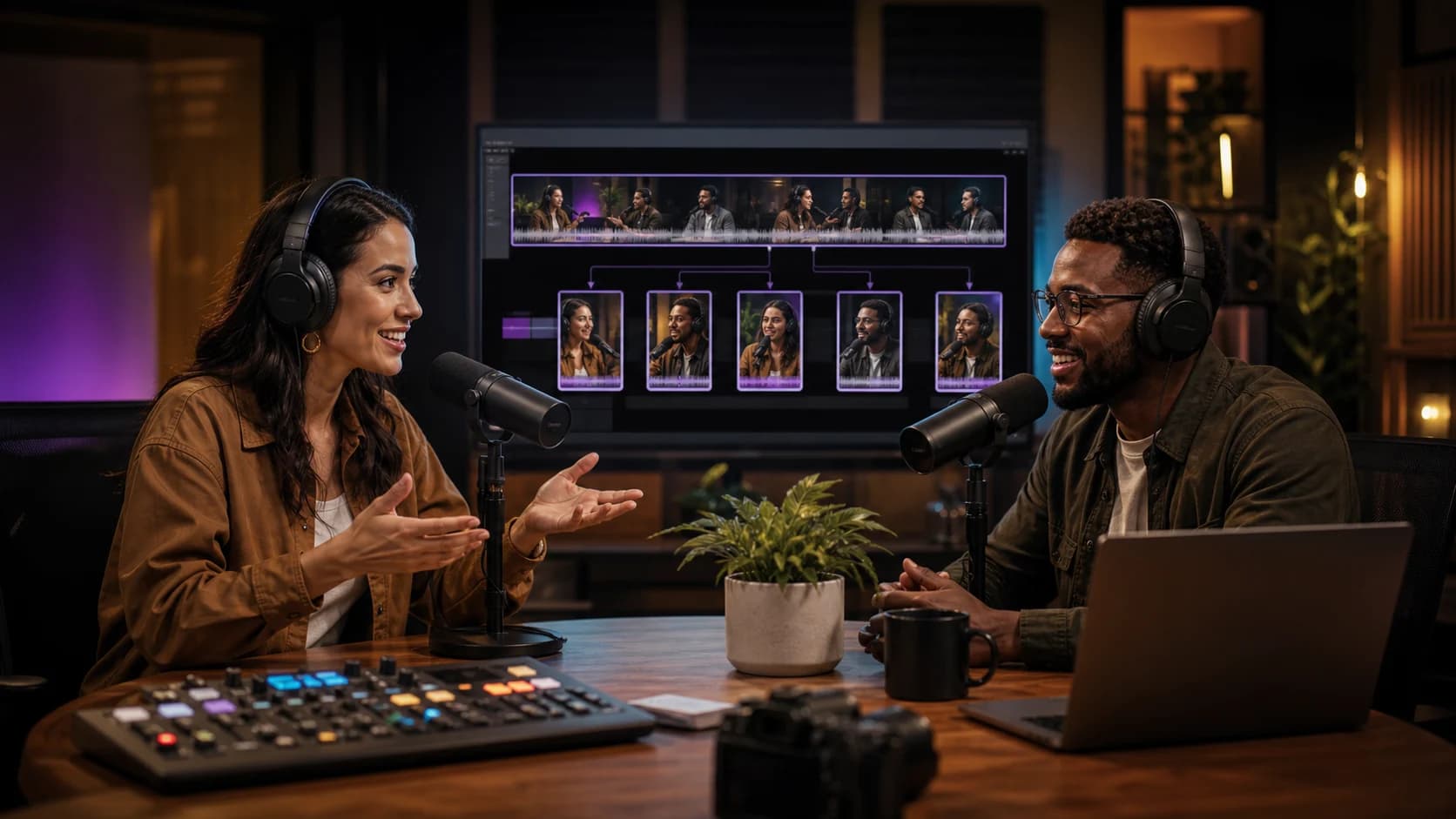
Introduction
If you create podcasts, webinars, or long-form YouTube videos, you already know the real bottleneck isn't producing content — it's repurposing it. That's exactly why so many creators and marketing teams are searching for the best AI clip generator: a tool that can watch a one-hour recording, find the moments worth sharing, and turn them into subtitled, vertical clips ready for TikTok, Reels, Shorts, or LinkedIn. In this guide, we'll break down what actually makes a clip generator 'the best,' how the underlying AI works, and a step-by-step process you can use to evaluate and start using one today.
What Does an AI Clip Generator Actually Do?
An AI clip generator ingests a long video or audio file and automatically produces short, standalone clips optimized for social platforms. Instead of manually scrubbing through hours of footage, you let the AI transcribe the content, detect high-engagement moments (jokes, strong opinions, emotional peaks, key takeaways), and export them as ready-to-post clips — usually with burned-in captions, reframing for 9:16 vertical format, and sometimes auto-generated titles or hooks.
This matters because short-form video is currently the highest-reach content format on nearly every major platform. But cutting clips manually is slow: finding the right 30-60 second moment in a 90-minute podcast can take 20-30 minutes per clip when done by hand. A good AI clip generator compresses that into minutes.
Core Features to Look for in the Best AI Clip Generator
Not all tools are built equally. Before choosing one, check whether it covers these essentials:
- Accurate automatic transcription with support for multiple languages and accents
- AI-based highlight detection that identifies hooks, punchlines, and quotable moments — not just random timestamps
- Auto-reframing (speaker tracking) to keep faces centered when converting horizontal video to vertical
- Stylized, animated subtitles with customizable fonts, colors, and emoji support
- Export presets sized correctly for TikTok, Instagram Reels, YouTube Shorts, and LinkedIn
- Batch processing so you can upload one long file and get multiple clips at once
- A simple editor to trim, reorder, or adjust captions before publishing
- Reasonable turnaround time — ideally under 15-20 minutes for an hour-long source video
1. Upload your source file
Start with your raw podcast, webinar recording, or YouTube video. Higher audio quality generally leads to better transcription accuracy, which directly improves highlight detection.
2. Let the AI transcribe and analyze
The tool converts speech to text and scans the transcript for signals of engagement — strong statements, questions, laughter, tone shifts, or topic changes. This is where the 'AI' part of an AI clip generator really earns its name.
3. Review suggested clips
Most tools return a ranked list of potential clips with a score or short description of why each moment was flagged. Skim these instead of blindly trusting the algorithm — you know your content and audience better than any model.
4. Adjust framing, captions, and timing
Trim the in/out points if needed, tweak subtitle styling to match your brand, and confirm the speaker-tracking crop looks natural, especially in multi-person conversations.
5. Export and schedule
Export in the correct aspect ratio for each platform and either publish directly or push clips into your scheduling tool. Posting consistently — several clips per week — tends to outperform occasional one-off posts.
Comparison Checklist: Evaluating the Best AI Clip Generator for Your Needs
Use this quick checklist when comparing tools:
- Does it support the language(s) you record in, including accents and technical vocabulary?
- How accurate is the highlight detection on a real sample of your own content — not just a demo video?
- Can you customize caption style, or are you locked into one template?
- Is pricing based on minutes processed, number of clips, or a flat monthly rate?
- Does it offer a free trial or limited free tier so you can test accuracy before committing?
- How fast is processing for a 60+ minute file?
- Does it integrate with your existing workflow (cloud storage, scheduling tools, team collaboration)?
Common Mistakes When Using an AI Clip Generator
Even the best AI clip generator won't fix these avoidable mistakes:
- Uploading low-quality audio and expecting perfect transcription and highlight detection
- Publishing every AI-suggested clip without reviewing for context or accuracy
- Ignoring platform-specific caption styles (what works on TikTok may feel off on LinkedIn)
- Skipping a strong hook in the first 1-2 seconds, which is critical for retention on short-form platforms
- Never testing different clip lengths — sometimes 20 seconds outperforms 60 seconds, and only your own data will tell you which
Manual Editing vs. AI Clip Generators: A Quick Reality Check
Manual editing gives you full creative control but costs hours per episode and doesn't scale well if you're publishing daily. AI clip generators trade a small amount of precision for massive time savings — most creators find the AI gets 70-90% of the way there, and the remaining review-and-polish step takes minutes instead of hours. For solo creators, small teams, or agencies managing multiple client accounts, that time savings is usually the deciding factor. Tools like ViralCut PRO are built specifically to make that review step fast, with editable captions and clip previews so you're never publishing something you haven't checked.
Who Actually Benefits Most From an AI Clip Generator
This type of tool tends to deliver the highest ROI for:
- Podcast hosts who want consistent short-form promotion without hiring an editor
- B2B marketers repurposing webinars and panel discussions for LinkedIn
- YouTubers turning long-form videos into Shorts to grow a second audience
- Agencies managing clip production for multiple clients at once
- Course creators and coaches extracting teachable moments from live sessions
Conclusion
The best AI clip generator isn't necessarily the one with the flashiest demo — it's the one that reliably understands your content, saves you real editing time, and produces clips you'd actually be comfortable publishing with minimal tweaking. Focus on transcription accuracy, highlight detection quality, and how much control you retain over captions and framing. If you want to test this workflow on your own long-form content, ViralCut PRO lets you upload a video and see the auto-generated clips, subtitles, and reframing in action before you commit to a full editing process.
Start small: pick one recent long-form video, run it through a clip generator, and compare the output against what you'd have produced manually. That single test will tell you more than any feature list.
Questions fréquentes
What is the best AI clip generator for beginners?
Look for a tool with a simple upload-and-review workflow, an intuitive caption editor, and a free trial. Beginners generally do best with generators that clearly explain why each clip was suggested, rather than black-box outputs.
Are AI clip generators accurate at finding viral moments?
They're good at flagging statistically engaging patterns — strong statements, tone shifts, questions — but accuracy varies by content type. Always review AI-suggested clips before publishing rather than trusting the ranking blindly.
Is a free AI clip generator good enough, or should I pay?
Free tiers are useful for testing transcription accuracy and clip quality on your own content. Most creators upgrade once they need batch processing, longer file support, or custom caption branding, since free plans usually cap minutes or watermark exports.
How long does it take an AI clip generator to process a video?
For a typical 60-minute video, expect anywhere from 5 to 20 minutes depending on the tool, video resolution, and how many clips it's generating. Faster isn't always better if accuracy drops.
Can an AI clip generator work with any language?
Support varies significantly. Check specifically for your recording language and accent, not just a generic 'multilingual support' claim, since transcription accuracy for less common languages can be noticeably lower.
Essayez sur votre contenu
Importez une vidéo. ViralCut PRO trouve les meilleurs clips.
Analyse, hooks, sous-titres, recadrage et exports prêts à publier en quelques minutes.
Créer mes clips gratuitementÀ lire ensuite
Guide completComment transformer une vidéo longue en 10 clips courts performants
Methode complete pour identifier les meilleurs moments, creer des accroches puissantes et optimiser chaque clip pour TikTok, Reels et YouTube Shorts.
 TikTok & Reels
12 accroches qui retiennent l'attention dès les trois premières secondes
Exemples concrets et formules qui captivent des l'instant zero sans tomber dans le sensationnalisme.
 Sous-titres
Créer des sous-titres dynamiques sans surcharger la vidéo
Design, lisibilite et rythme : les bonnes pratiques pour des sous-titres qui engagent sans prendre toute la place.
Newsletter ViralCut